GUI to Microsoft® Glossaries for Technical Translators and Technical Translation Agencies

Advanced International Translations. Experience. Excellence. Innovation.


Questions? Suggestions? Problems? Contact Support Team.
About Us
Product Info
Sample Clients
Microsoft Glossaries
More Microsoft Glossaries
Download
WebHelp
Support
Order
Newsletter
Earn $ € £ with us!
More Products
Credits
 
GUI to Microsoft® Glossaries for Technical Translators and Technical Translation Agencies

From the creators of:


Project Management Software for Translation Agencies


Accounting and Project Management Software for Freelance Translators and Translation Agencies


Word Count, Character Count, and Line Count Software


Displays Nicely!

Searches Fast!


Downloads… and Resumes!

Downloading Microsoft Glossaries is not an easy task. They are large (only Farsi, Arabic, Malay, and Indonesian glossaries are under 1Mb, other 40 glossaries range in size between 1.05 Mb for Galician language and 62Mb for Spanish language) and downloading them by standard means (through Microsoft Internet Explorer, for instance) may be a nuisance. That's why this task usually involves purchasing FTP client software, able to automatically resume broken transfers… But not with WinLexic! WinLexic already contains built-in FTP client configured to access Microsoft® public FTP server, and able to resume transfers. That means approximately USD30 savings for you plus less hassle about getting glossaries downloaded and interpreted properly!

Manage Glossaries

Did we say already that it also unpacks and identifies glossaries automatically? J No WinZip or any technical knowledge required.


Displays Nicely!

After being downloaded and unpacked Microsoft® Glossaries still represent quite a frightening view to average human with little time at her or his disposal to browse through raw glossary data:
Raw Glossary Data

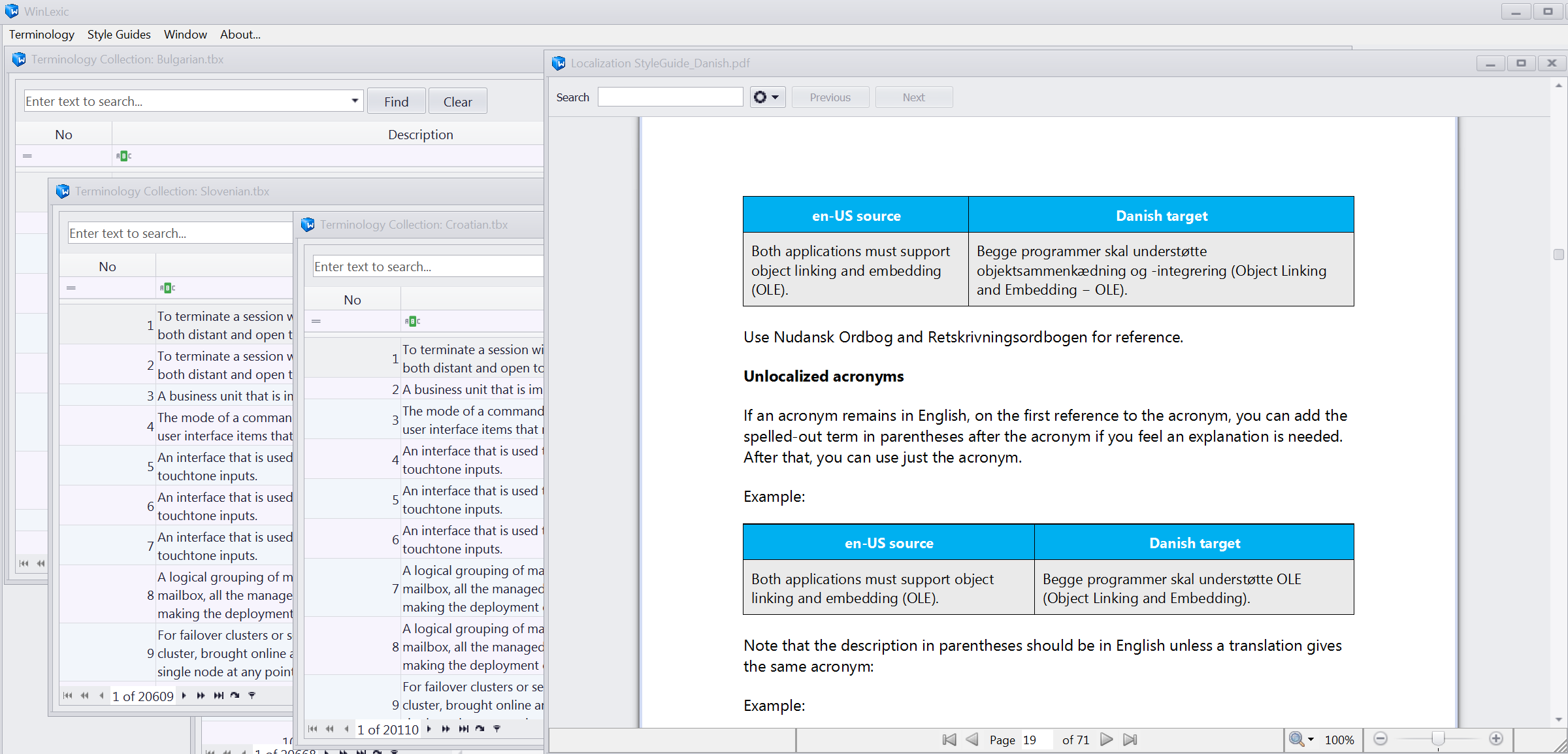
In the same situation WinLexic owners will be able to browse nice dictionary instead of technical mambo-jumbo-guesswork:

You just select language and glossary:

Language and glossary

Browse through entries in the source language (English)

Glossary entries

and see each entry in a comfortable view:

Microsoft Glossary Entry

Note: Highlight settings make working with glossary entries integrated into WinLexic even more pleasant!

Decrypting of Microsoft® technical abbreviations is included free of charge :)


Searches Fast!

Compare efficiency of searching for terms in Microsoft® Glossaries between searching in NotePad and searching in WinLexic

Searching Terms in Glossary

And the winner is…. WinLexic! Download free trial version of WinLexic or order it at a special launch price!

P.S. WinLexic enables you to set a global shortcut to enable search from virtually any software you run (Microsoft Word, Microsoft Excel, etc.).

P.P.S. You may customize and personalize interface of WinLexic only to make your experience of searching pleasant and comfortable.

 
(c) Advanced International Translations, 1998-2008. GUI to Microsoft® Glossaries for Technical Translators and Technical Translation Agencies. Ukrainian Translation. Russian Translation. Top Accounting Software for Freelance Translators and Translation Agencies, Project Management Software for Translation Agencies, Word Count, Character Count, and Line Count Software